
Turn your documents into courses in minutes
Upload a policy, procedure or presentation and AI Course Authoring builds a ready-to-run course with knowledge checks included.
Available as an add-on for Activate and Perform plans.
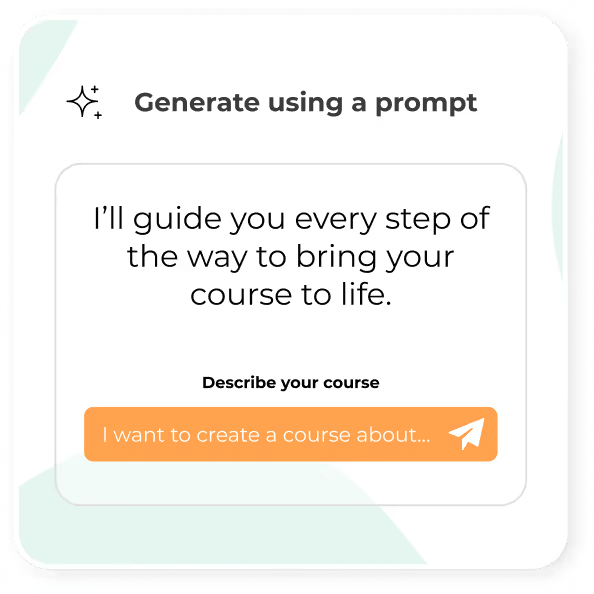







60-page plans to courses in minutes
Movement Five’s Behaviour Support Plans can run past 60 pages.
Now one staff member turns each plan into an interactive course in about five minutes, which keeps training consistent and data secure.
.avif)
Step 1
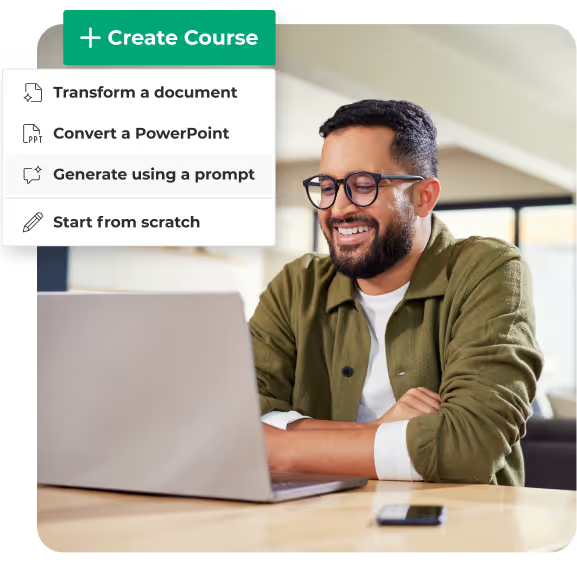
Start with a prompt or document
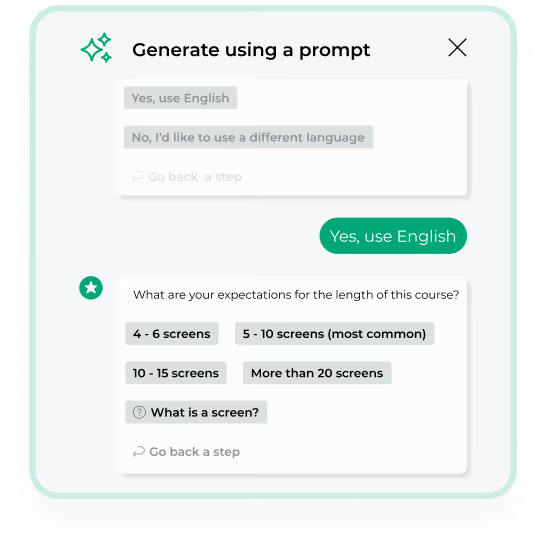
Upload existing content or describe the course you need, then answer a few quick questions. AI Course Authoring builds a structured course with questions and knowledge checks.
Step 2
Shape it for your team
Adjust the tone and complexity to suit each role. Translate courses into your learners’ languages and add narration for accessibility.
.avif)
Step 3
And finally, make it yours
Review and edit the content, add your expertise, and apply your colours, fonts and logo.
.avif)
You can create:
- Onboarding
- Role and team-specific training
- Refreshers
- Culture and values courses
- Volunteer and community learning
- Team collaboration courses
- Parent education.
Frequently asked questions
etrainu's AI Course Authoring is a tool that helps you create online courses quickly using artificial intelligence. You can turn documents, policies, presentations, or simple prompts into structured, engaging learning content in minutes.
Yes. etrainu's AI Course Authoring can translate courses into multiple languages. You simply choose the language you need, and the course content is translated automatically.
Yes. AI Course Authoring can generate clear, natural sounding narration to match your course content. Narration is designed to be easy to follow and supports different learning needs and accessibility requirements.
AI Course Authoring is available as an add-on for those on Activate or Perform. You can speak with the etrainu team to see if it is the right fit for your organisation. Explore other features on etrainu's LMS.
What will be the first course you build?
Send us a document and we’ll show you what it looks like as a course, or book a demo with our team.
